You can access and use free software from Nikon to edit Nikon raw images and also add or modify film profiles while shooting and later while editing. The editor is called NX Studio and it runs on Windows or MacOS computers. The Film profiles are accessed and can be added using the Nikon Picture Control Utility (PCU) – the current version is PCU 2. This intro is intended to whet your appetite; follow the links to learn more about how to download and use the software.
Background
I have been a Nikon user for many years starting with a Nikon 6006 film camera and progressing through various bodies and lenses to the present day. I still shoot with Nikon film cameras and several digital models including a D3s, D850, and my newest (and favorite) the Nikon Zf. The point of this post is to show some examples of raw photos taken with Nikon cameras that have been edited with the free photo editing application called NX Studio. Those examples are a preview of film profiles that I have used to modify the raw images. You can use the standard film profiles that are resident on your Nikon camera, or you can use custom profiles (i.e., custom film types) that you can add to your camera using the Picture Control Utility.
I am not going to go into detail about the PCU or the NX Studio photo editor. There are many resources online that will help you learn abut the utility and the editor. This post does include links to those resources and/or reviews, and I will show you some example results that can be achieved using these tools.
Link to the Nikon Picture Control Utility: https://nikonimglib.com/nvnxi/onlinehelp/en/nk089000.html
Link to Nikon NX Studio:
https://downloadcenter.nikonimglib.com/en/download/sw/275.html
Link to a review of Nikon NX Studio:
https://digital-photography-school.com/nikon-nx-studio-review/
Examples
The gallery shows before and after pictures that I took in Watkins Glen, NY. The before photo is the original raw image which was shot with the camera profile set to MT COLOR. This is a custom picture setting in the camera itself. (Note: no matter what is specified at the time of capture, once the image is in NX Studio, you can select a different profile). The MT Color profile did not come with the Nikon Z7, but was a custom profile I added using the Picture Control Utility.
Note: Some profile types may require a more advanced sensor or processor. That might mean that you need a newer camera. But regardless of the camera type, once the raw file is in the NX Studio editor, you can change the profile. This is similar to using presets in Adobe Lightroom, Adobe Photoshop or any of the many editors on the market. There are six profiles shown in the gallery and they are top row – left to right Kodak Portra Mono, BlueSky, Neopan, and 2nd row, Tri-X B&W, Flex Color – GoldenGlow (a profile I created using the Flex Color option in NX Studio), and Mono – No Eff.
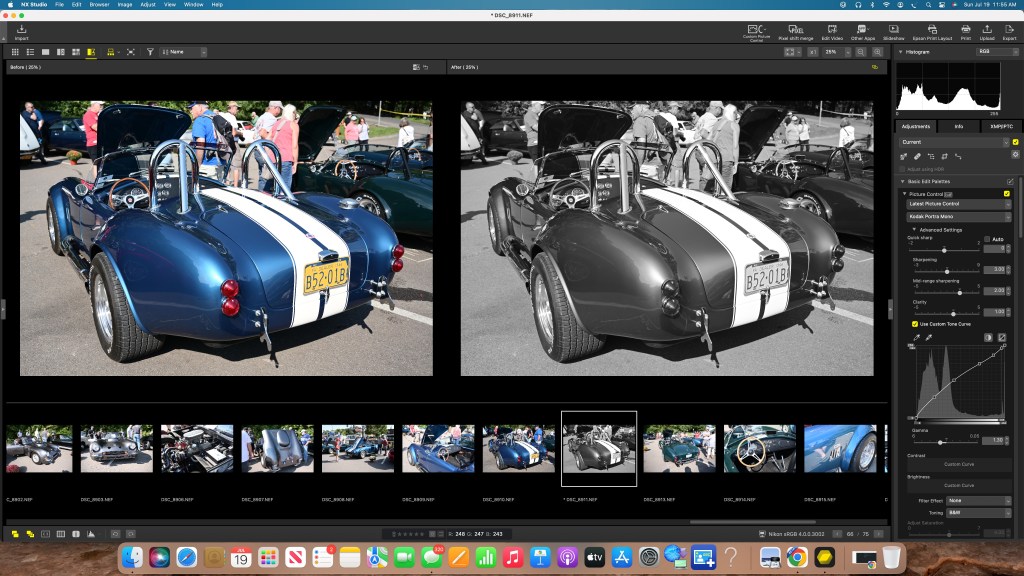
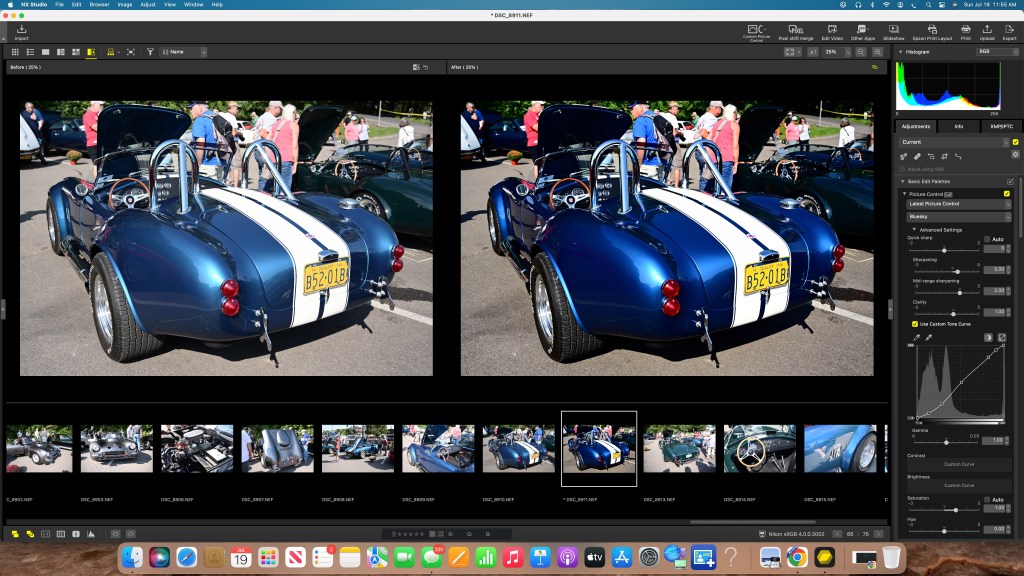
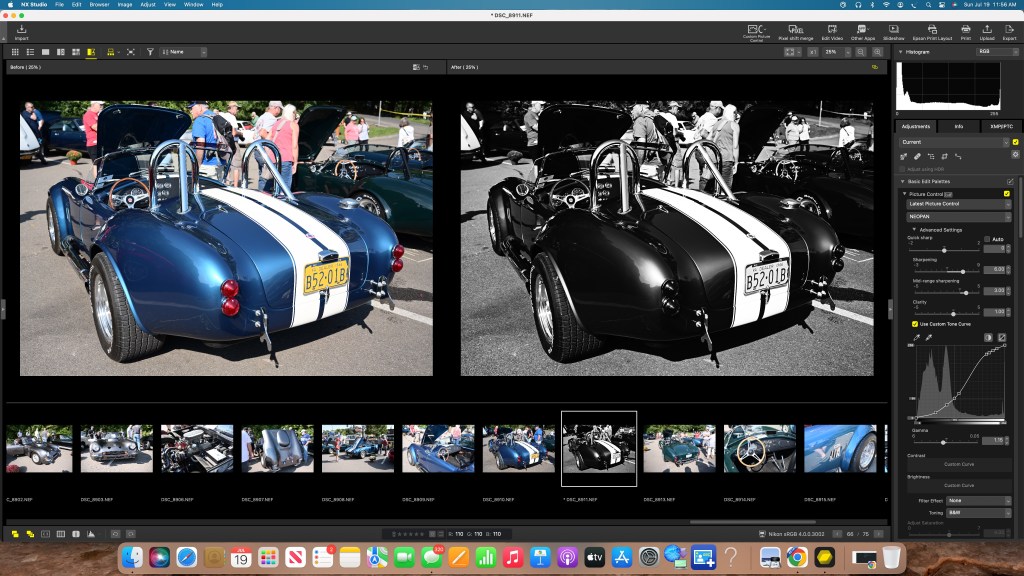
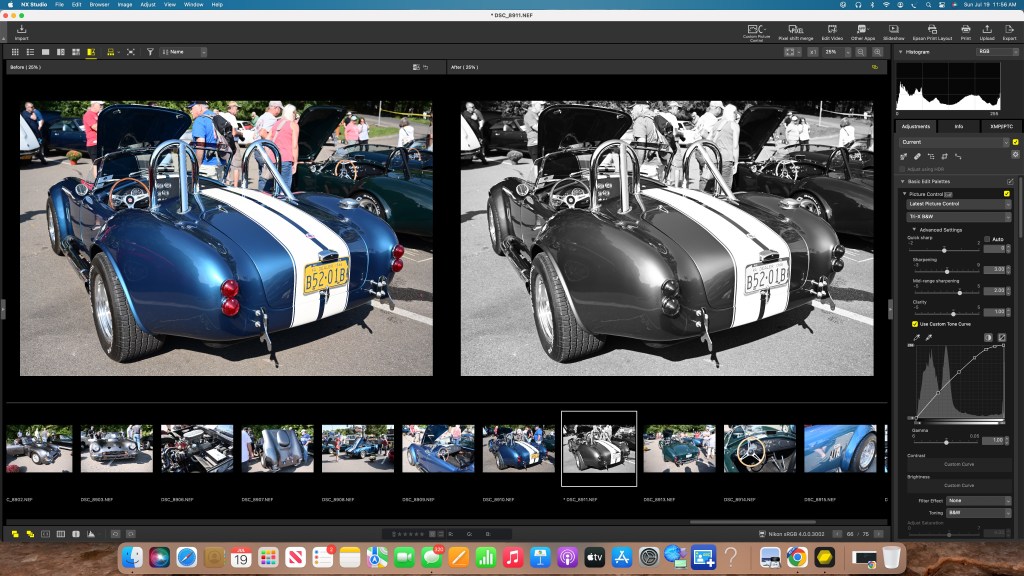
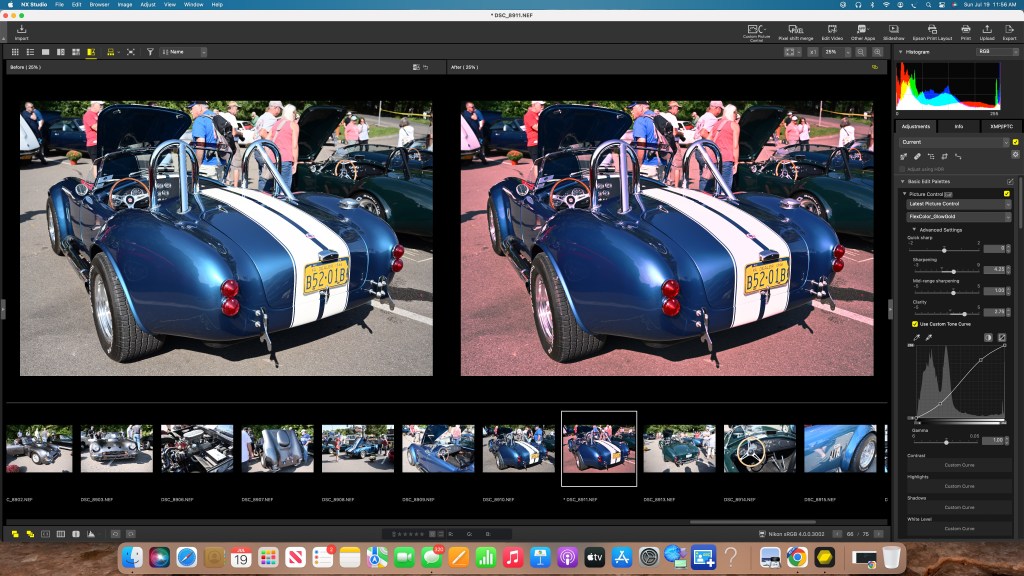
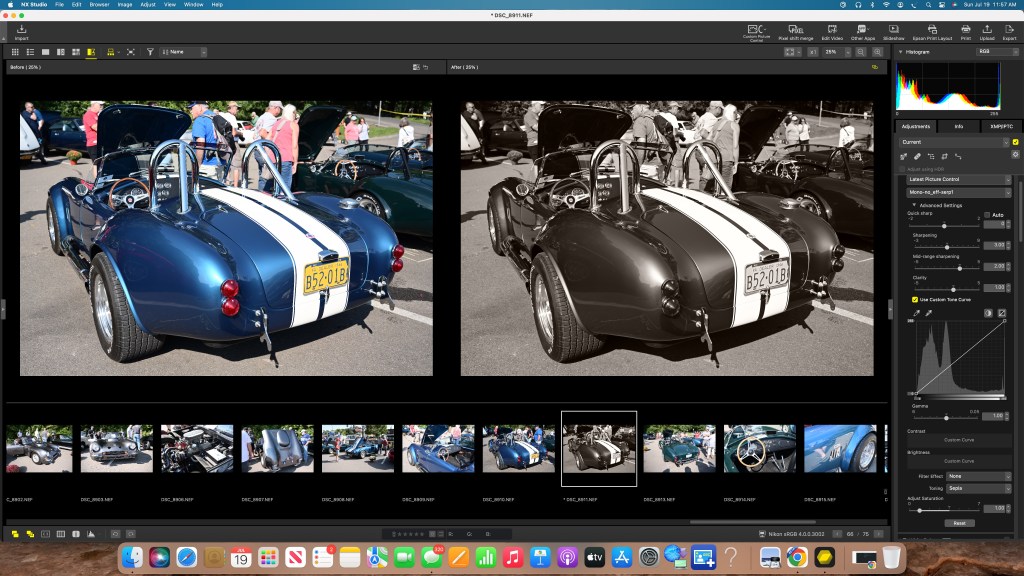
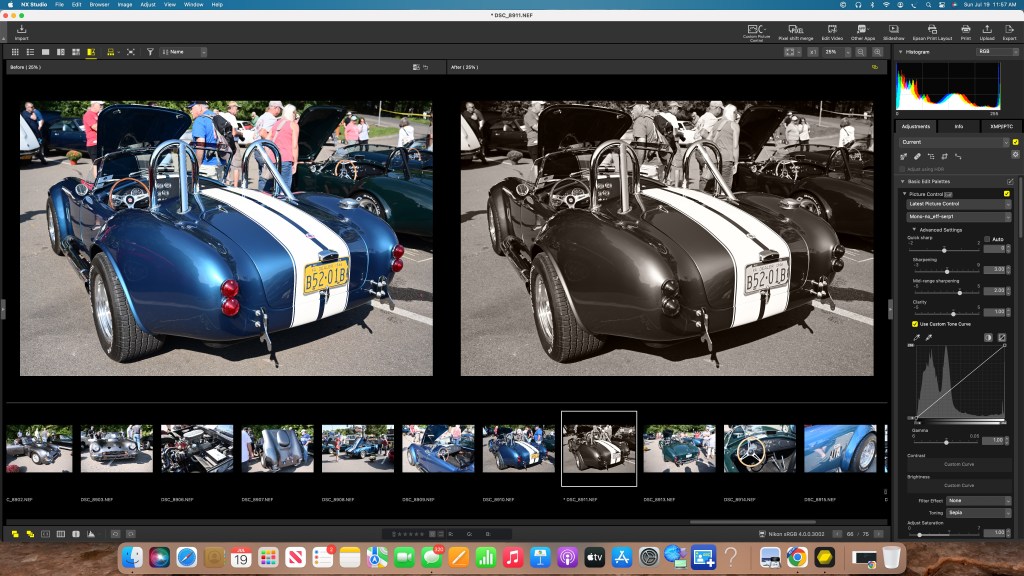
So what exactly am I showing you here? These represent six variations to photo in NX Studio, each with a different Picture Control Profile selected. One of the key and significant differences in NX Studio is that you start with a raw file and even after specifying a change to the profile, you are still working with within a raw file. That means that you retain full access to all the power of the photo editor, starting with the profile type, but then can use all the other tools. The photo editing power is vast and far reaching. You might be entirely happy with the Custom Profile change only, or you might want to go much further. It’s up to you. And, when you get it the way you like it, you can give it a custom name and save it as a new profile so you can use the full set of effects on other photos. Have fun with NX Studio and the Picture Control Utility 2.

